Document Solutions - PaperCut MF
PaperCut MF extends the features of PaperCut NG using embedded software and hardware integration to provide full MFP control.
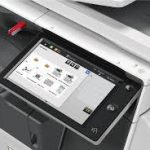
Today’s multi-function devices (MFPs) and copiers are smarter. They have touch screens and the ability to run embedded software directly on the device itself. This new technology has allowed us to bring our popular print management software into the MFP space to track off-the-glass usage – copy, fax and scan.
Embedded Software For printing PaperCut authenticates and tracks print jobs at the server layer before they pass to the MFP. To track off-the-glass device usage such as copying usage the authentication and tracking step needs to be done on the device itself. Where possible this is accomplished using embedded software. The embedded software runs on the MFP and works with the PaperCut Server to bring the same experience offered with printing to direct device usage. Embedded solutions also offer other service such as the ability for users to self-associate a new swipe card with their account and check their account balance.
PAPERCUT MF
Find me Printing, Secure Print Release, Track All Printing Activity, Validate Access with Swipe, cards or devices login. Get full visibility of device activity from anywhere with browser based admin tools.

SHARPDESK MOBILE
Sharp’s mobile print and scan solution for popular iOS, Android™, or Windows® mobile devices. Optimising the benefits of mobile working with Sharpdesk Mobile; Sharp’s powerful, cutting edge mobile printing and scanning application.
DRIVVE IMAGE 5
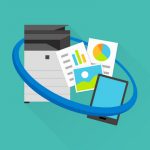
Suite of powerful scanning software tools that eliminates time-consuming and error prone manual processes. Browse to any folder on your network from the MFP Print common office documents directly from the MFP. It integrates seamlessly with email and database systems.

PRINT RELEASE SOFTWARE
Print release software is a easy to use pull printing software Secure printing with user authentication. That minimises paper wastage, Collects documents from the MFP of your choice. There are no more confidential documents left unattended at the MFP.
SHARP DATA SECURITY KIT
Today’s networked office equipment retains document data that can accidentally or maliciously disclose confidential document data, which could seriously impact your business.
To mitigate this threat, Sharp offers a scalable suite of security solutions geared toward preserving the confidentiality of your digital document data.
The optional Data Security Kit (DSK) helps protect and control major MFP systems and subsystems (print, copy, scan, fax jobs, network settings, operating system, memory components, local user interface, engine and job controller). The DSK uses the 128/256 bit Advanced Encryption Standard (AES) algorithm on all data before it is written to RAM or Flash memory and the hard disk. The DSK also provides overwriting routines for deleted data, to ensure all information is virtually irretrievable by unauthorized users.
Sharp was the first to address security in digital imaging and received the first Common Criteria Validation for an MFP in 2001. Even today, Sharp remains the highest rated company for validated MFP products, and is regarded as one of the industry’s greatest security innovators. Businesses and government agencies worldwide have come to depend on this level of assurance that Sharp pioneered and for which it continues to set the benchmark.

Encrypts data prior to being stored in Memory Encrypts all data stored in the HD file cabinet All memory cleared after copy, scan and print use Runs automatically without user initiation.
Sensitive data does not remain on the print/copy device Helps companies conform to Data Privacy legislation Helps reduce your exposure to liability due to data leak.